There are several ways to purchase a FAREPAY Card:
- Online
- At a ticket vending machine (TVM)
- At a UTA Customer Service location
- At a participating retail store
This step-by-step guide will show you how to buy a FAREPAY Card at a ticket vending machine (TVM).
Reduced Fare Notice:
You must have a FAREPAY Card linked to an online FAREPAY account before you can apply for reduced fare. Click here to set up an online FAREPAY account.
Purchase a FAREPAY Card at a Ticket Vending Machine (TVM)
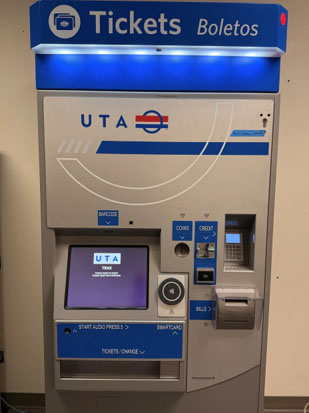
TVMs are located at every UTA TRAX and FrontRunner station.
1. Go to one of UTA's ticket vending machines.
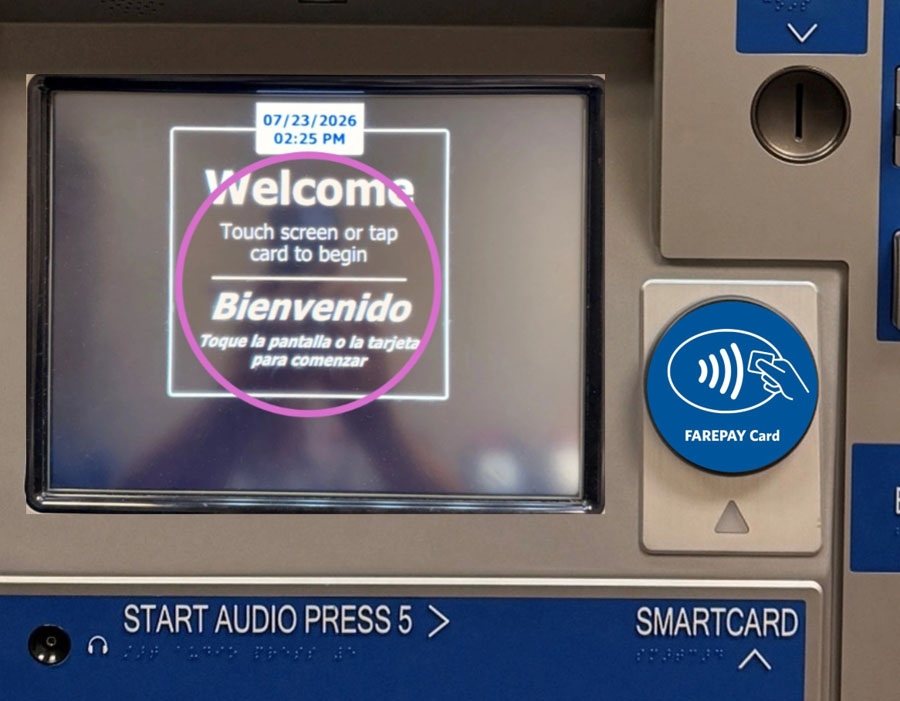
2. Touch the welcome screen to begin.
If you already have a FAREPAY Card, tapping it on the round tap disc will display your current FAREPAY Card balance.
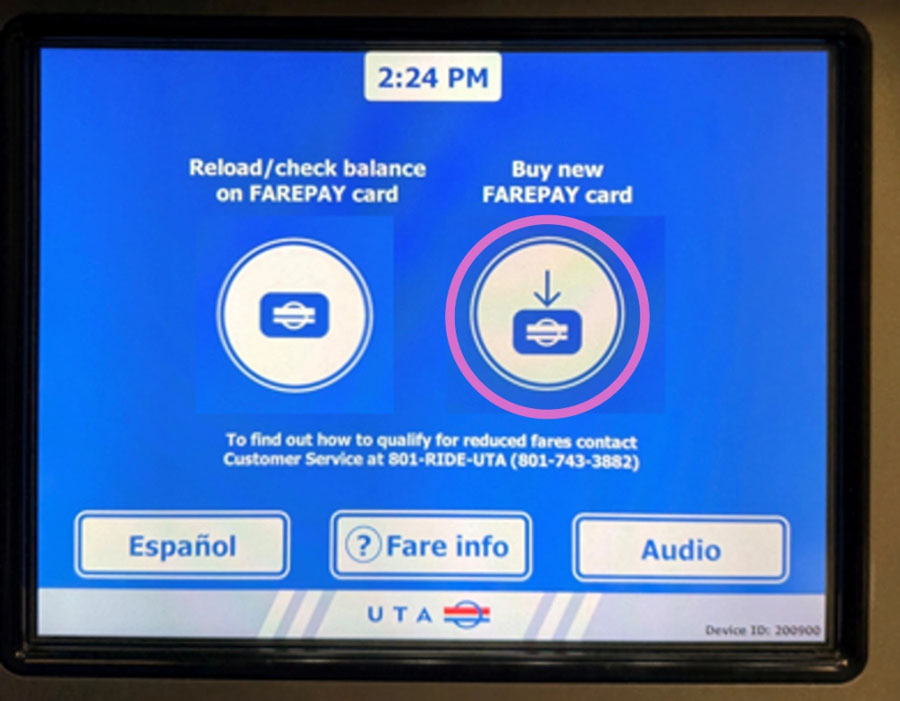
3. Touch "Buy new FAREPAY card"
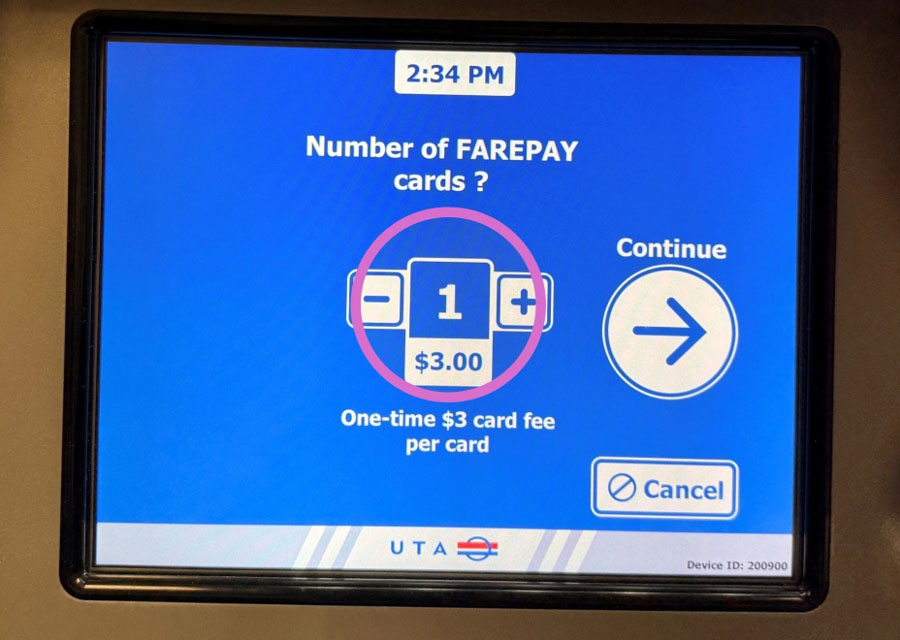
4. Press the + or - sign to change the number of FAREPAY Cards you want to buy.
You will be charged a $3 card processing fee for each FAREPAY Card you purchase. Approved reduced fare customers will have that $3 fee credited back to their account.
Press the "Continue" arrow.
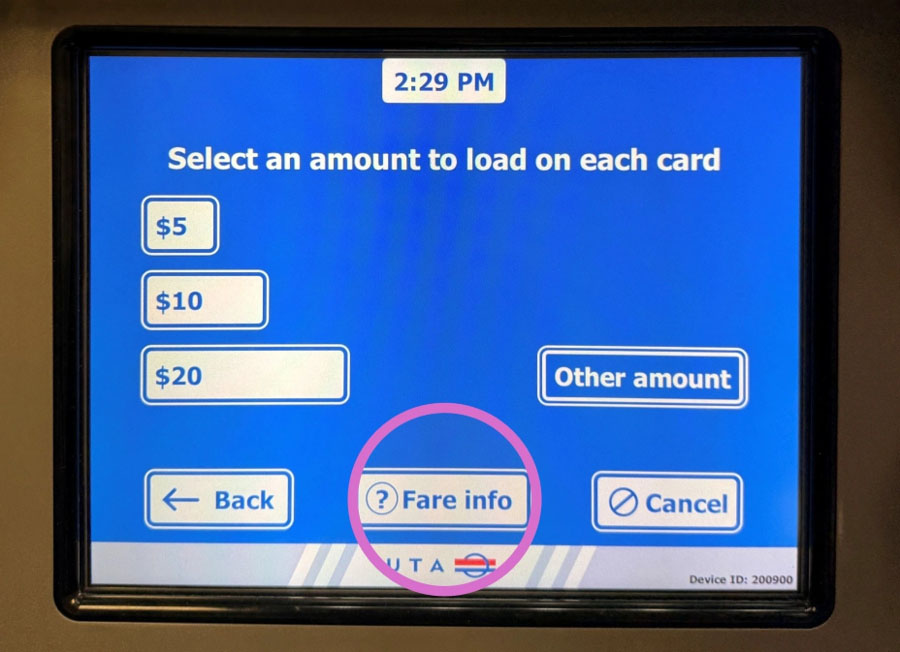
5. Choose how much money you want to load on each FAREPAY Card.
If you want to check how much can be loaded on a FAREPAY Card, press "? Fare info."
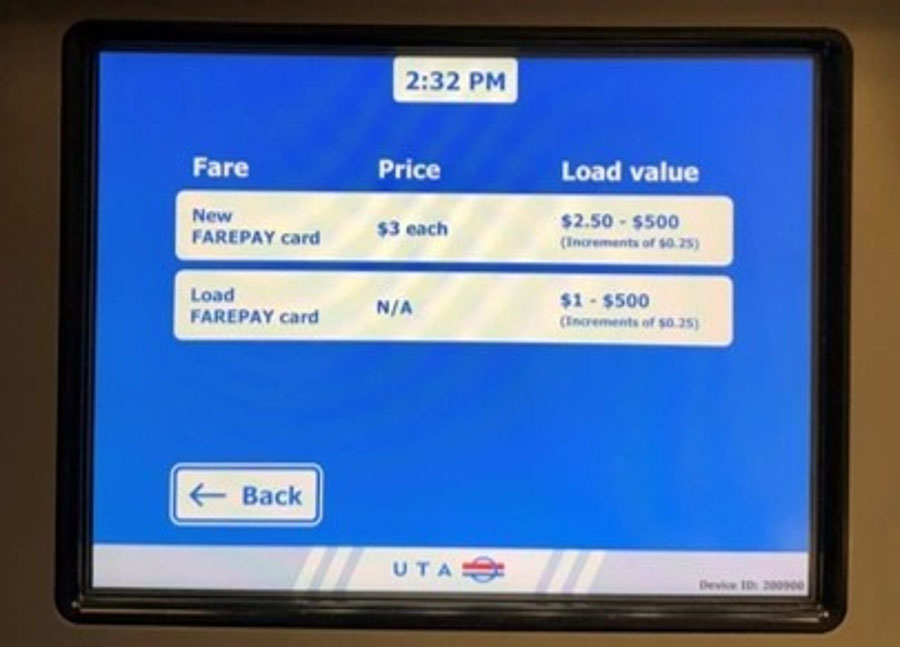
6. This screen displays how much money you may:
- Load on a new FAREPAY Card
- Add to an existing FAREPAY Card
Press "< Back" to return to your order.
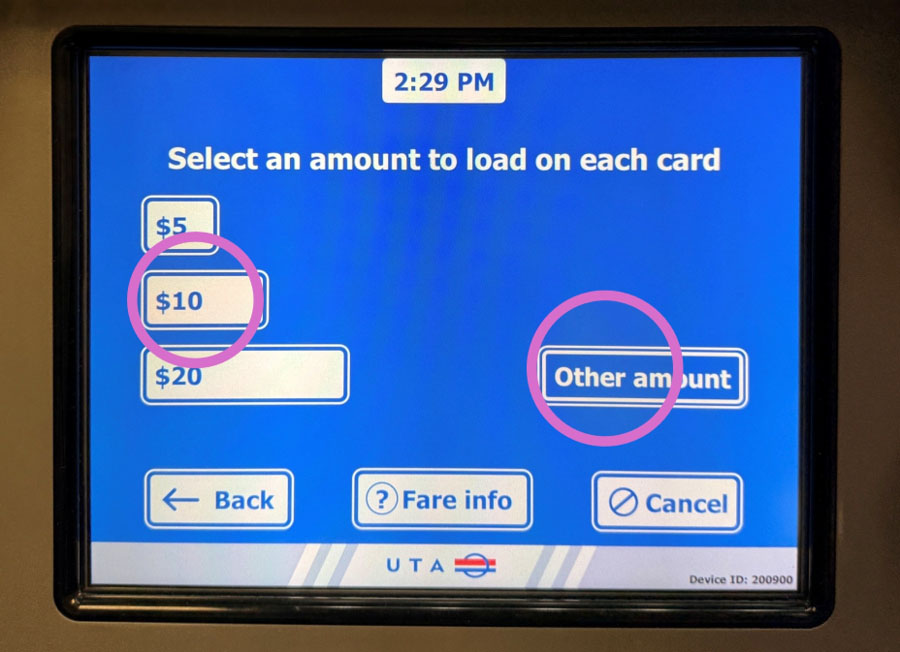
7. On the left side of the screen are standard values you may select to load on each FAREPAY Card you are purchasing.
You may choose a different amount by pressing "Other amount."
8. If you selected "Other amount," use the number pad to enter an amount to load onto each FAREPAY Card you are purchasing.
Then press the "Continue" arrow.
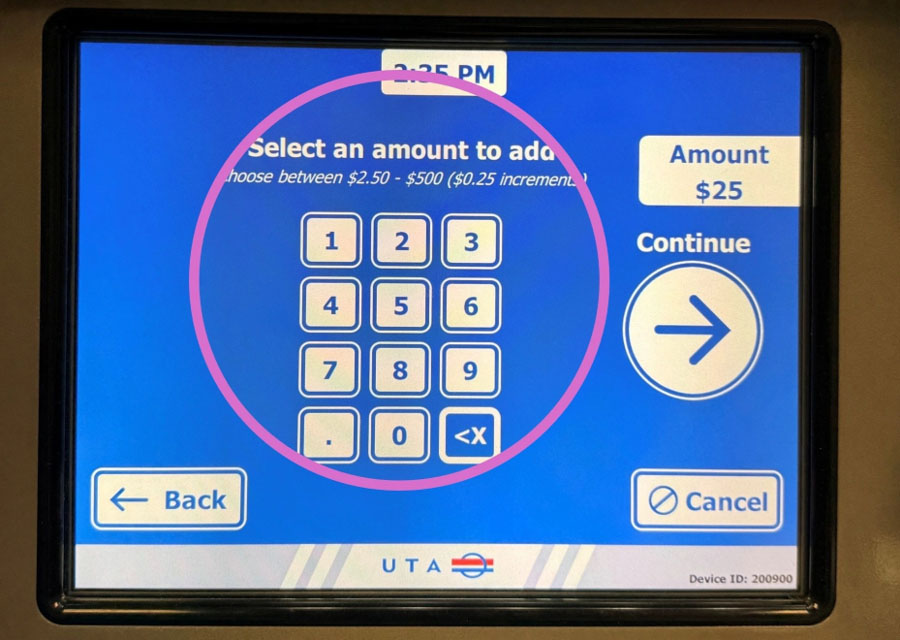
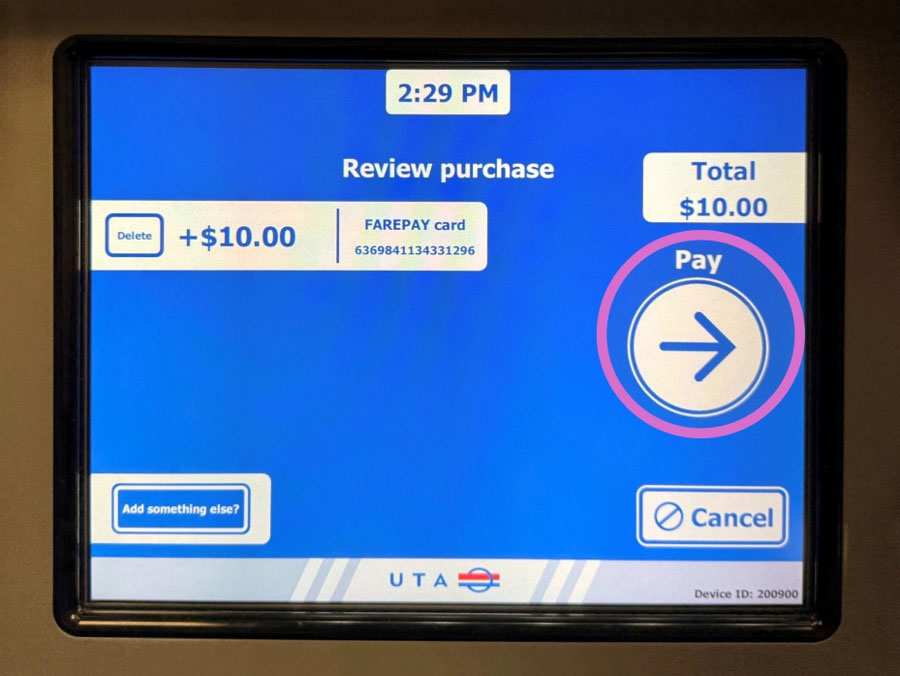
9. The amount you have chosen to purchase will display next to each FAREPAY Card in your order.
Is this is correct, press the "Pay" arrow.
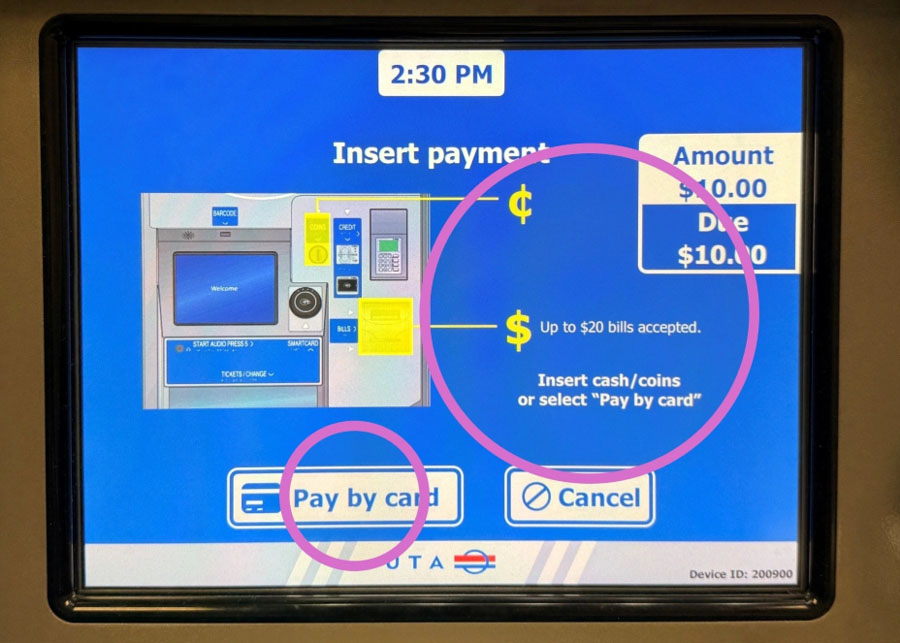
10. You may pay with cash or with a credit or debit card.
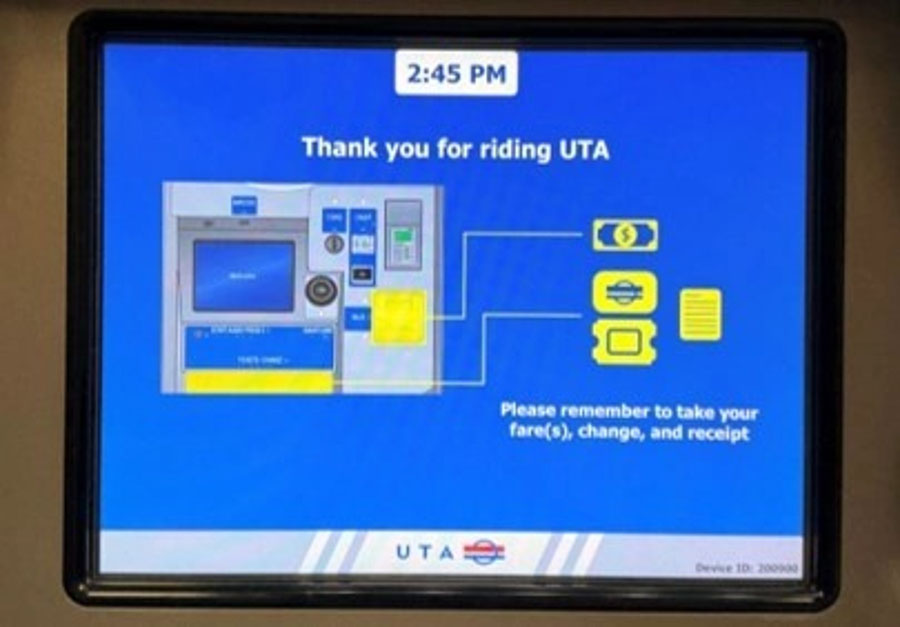
If you plan to pay with cash, insert the bills and coins in the ticket vending machine. The yellow-highlighted areas below show where to pay with cash.
For credit or debit card, press "Pay by card."
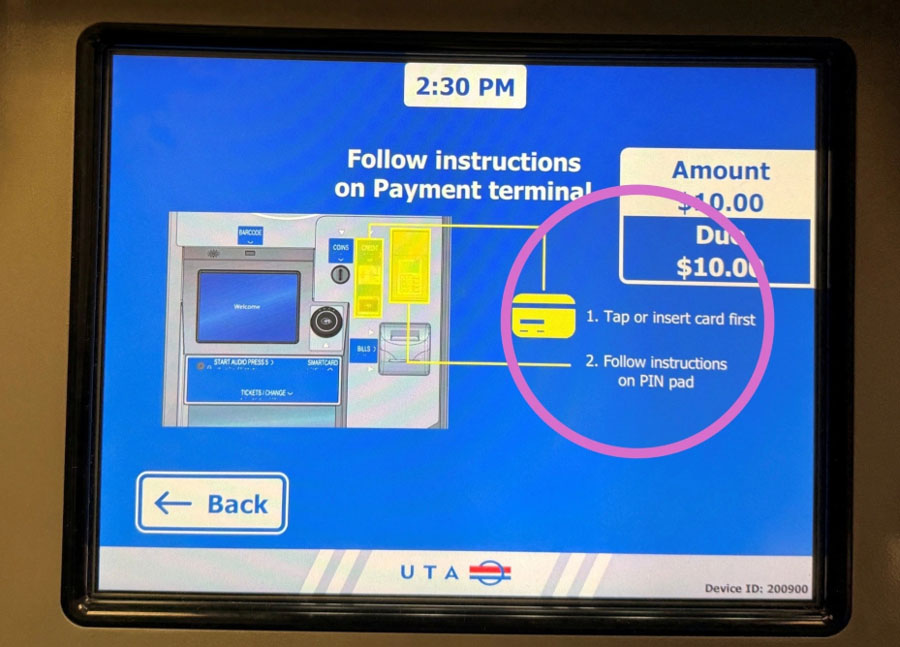
11. If you selected "Pay by card," press which type of payment card you are using.
12. For credit or debit card payment, follow the instructions on the screen, noting the highlighted yellow areas below.
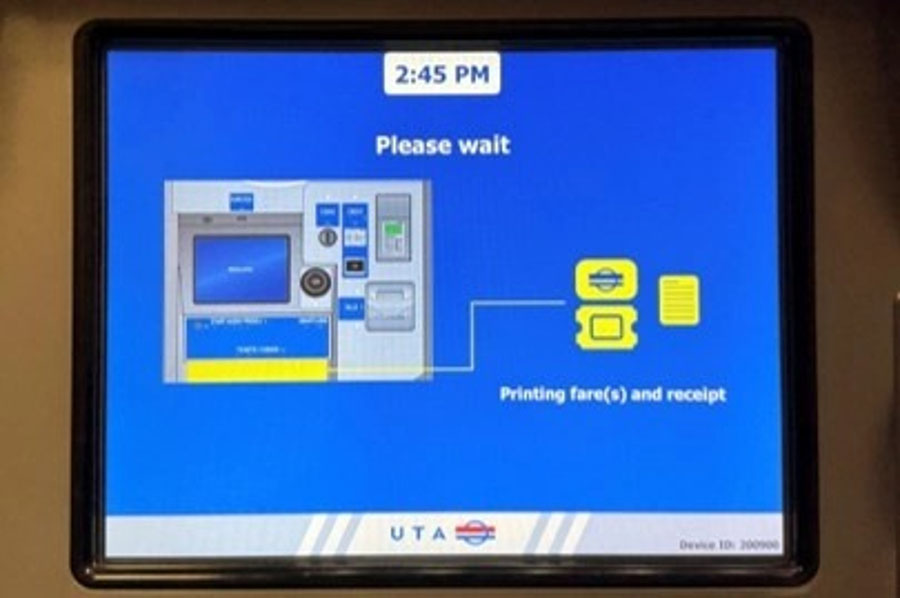
13. Wait while your FAREPAY Card(s) and receipt are printed.
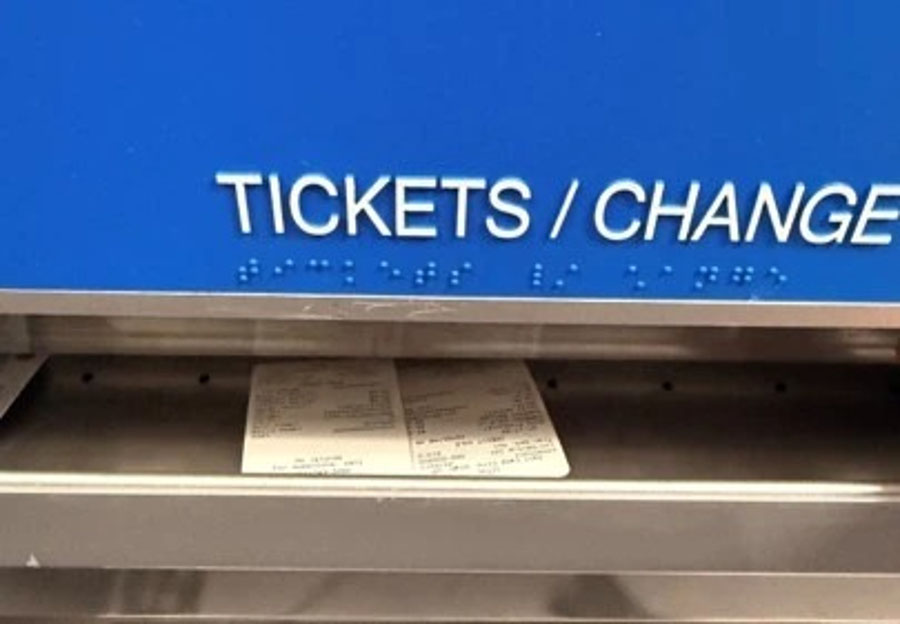
14. Open the tray cover and retrieve your order.
15. Thank you for riding UTA!